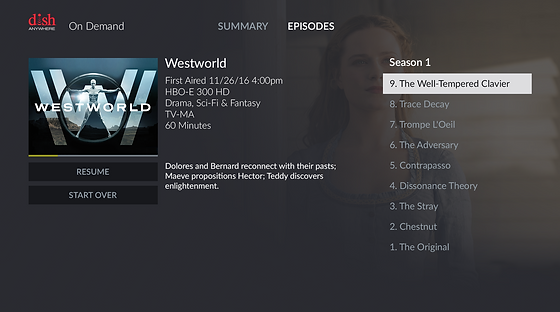
Designing a TV Streaming Experience Across Devices
Dish Anywhere
PROJECT OVERVIEW
The DISH Anywhere app allows subscribers to watch every TV channel they have at home on mobile devices and tablets. Users can stream live or recorded programs anytime, anywhere. The app also includes a full-featured DVR manager and a searchable program guide, giving users full control over their home television experience remotely. This was the second app developed by our UX team, following DISH Explorer, and it achieved an App Store rating of over 4.0.
ROLE AND RESPONSIBILITY
-
Collaborated closely with UX designers, product managers, and engineers to deliver visually compelling and effective user experiences.
-
Defined and maintained a consistent visual language across product interfaces.
-
Iterated on design solutions through continuous feedback from users and stakeholders to improve usability and product quality.

WHAT DOES THE DISH ANYWHERE APP OFFER?
The DISH Anywhere app lets subscribers watch live and recorded TV, access on-demand content, manage their DVR, download shows for offline viewing, and control their home TV—anytime, anywhere, from their mobile devices.


COMPETITIVE RESEARCH FOR MOBILE VIEW
Analyzed key screens (sign-in, menu, home, guide) across platforms like Netflix, Amazon Prime Video, Hulu, and Xfinity. Identified user expectations and opportunities to improve content and functionality.

CLICK IMAGE
TO ENLARGE

INFORMATION ARCHITECTURE

CLICK IMAGE
TO ENLARGE
HIGH-FIDELITY WIREFRAME
CLICK IMAGE
TO ENLARGE

UI DESIGN PROCESS
Modernized the UI by replacing outdated styles (shadows, gradients, glossy) with a flat dark theme. Aligned with DISH branding while improving focus and reducing eye strain for a better viewing experience.
Legacy UI&UX Design


UI DESIGN LAYOUT WITH GRID SYSTEM
We tested various dimensions to embed multiple videos in a 16:9 aspect ratio. However, due to limited screen space, we faced challenges displaying multiple videos simultaneously. To overcome this, we explored several layout options and delivered pixel-perfect specifications to the engineering team for implementation and testing. Ultimately, we designed an optimized solution tailored for the iPad 9.

Phase 1
Video Aspect Ratio
288x162 px & 672x378 px
Spacing 8 &16px

Phase 2
Video Aspect Ratio
272x153 px & 640x360 px
Spacing 8px

Phase 3
Video Aspect Ratio
288x162 px & 672x378 px
Spacing 12 &12px
Final Grid System and Dimensions


FINAL MOBILE & TABLET UI DESIGN
Led visual design across mobile and tablet, creating the experience from scratch without existing guidelines.
Balanced creative direction with DISH’s brand, delivering a redesign that significantly improved UX and UI.
Mobile Design
CLICK IMAGE
TO ENLARGE


Tablet Design


Dish Explore
PROJECT OVERVIEW
DISH Explorer is a second-screen iPad app that blends program discovery, social media engagement, and remote-control features. It highlights trending TV programs in real time and integrates with Facebook and Twitter, providing users with a more intuitive and socially connected TV experience.

ROLE AND RESPONSIBILITY
I led the overall UI design effort for the product, covering structure, wireframes, and visual design. Working closely with contractors, product managers, and the engineering team, I developed a new visual direction for DISH’s app and extended it across web and set-top box interfaces.
The final design was cohesive, visually appealing, and effectively reflected DISH’s brand identity and values.
WIREFRAMES FOR KEY SCREENS


EXPLORER

EVOLVING THE BRAND THROUGH MODERN UI DESIGN
When I began designing, I followed DISH’s branding guidelines to ensure consistency and strong brand recognition. At the same time, I introduced modern graphic styles and new accent colors, such as orange and blue. I also led the introduction of a dark theme, which improved visual appeal and user comfort.


Amazon Fire TV Platfom
PROJECT OVERVIEW
This Product is the DISH Anywhere(DANY) application for the Amazon Fire TV platform. DANY on Fire TV supports existing content sources, including Live TV and DVR from set-top box. Dish worked to stream by partnering with Roku, Fire TV, and Chromecast. We designed our applications into their platforms to give popular Dish entertainment to our subscribers.


+

ROLE AND RESPONSIBILITIES
-
Led product UI design, including structure, wireframes, prototypes, and visual design
-
Managed designers and contractors to ensure consistency across the 10ft platform
-
Collaborated with product and engineering to align design efforts
DESIGN PROCESS
-
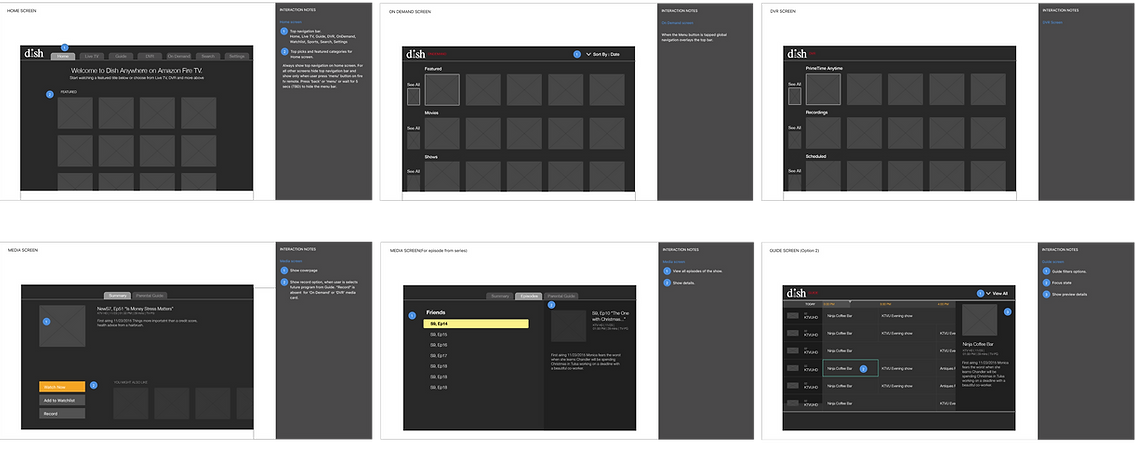
Built on Phase 1 wireframes from a contractor and refined through user testing
-
Identified navigation issues with overloaded top menu for remote use
-
Simplified to four core tabs with secondary navigation (Search, Settings, Help)
-
Introduced “See All” on home to reduce deep navigation
-
Refined media page with a cleaner layout and horizontal slider for browsing
Wireframe Phase 1+
Wireframe Phase 2+

USER TESTING WITH THE FIRST BUILD
These screenshots show our user testing of the first build with the Phase 1 wireframes on a TV. During testing, we identified issues and found ways to improve the layout, visual design, and structure. We always tested our product at a 10ft distance using a remote, which is a completely different user experience compared to using a touchscreen or mouse.
CLICK IMAGE
TO ENLARGE